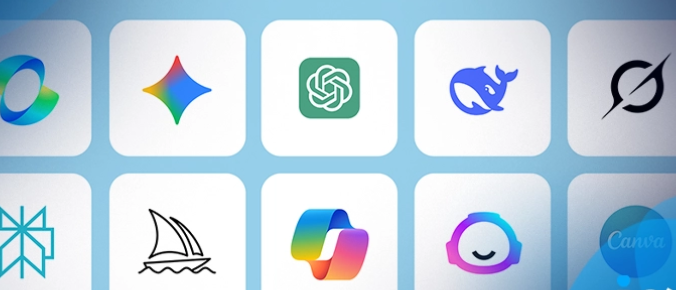
For years, premium software subscriptions felt unavoidable. Need to edit photos? Pay monthly. Want help writing, designing, coding, or organizing your work? Another subscription. But in 2026, a growing number of Americans are quietly replacing expensive software with free AI-powered tools that do surprisingly good work.
This shift is not just about saving money — though that’s a big part of it. It’s also about convenience. AI tools now handle tasks that used to require specialized software and hours of manual effort. Students are using them for research and presentations, freelancers for design and marketing, small business owners for content creation, and everyday users for everything from budgeting to photo cleanup.
The best part? Many of these tools offer robust free plans that are genuinely useful, not just watered-down demos.
Why Free AI Tools Are Replacing Paid Software
Americans are becoming more selective about subscriptions. Streaming services, cloud storage, fitness apps, productivity suites — the monthly charges add up fast. AI tools entered the market at the perfect moment: they automate tedious tasks while often offering generous free access.
There’s also a psychological shift happening. People no longer assume “free” means “low quality.” Open-source AI models, ad-supported platforms, and freemium products have improved dramatically. In many cases, the free version is enough for personal use, side hustles, or even professional work.
25 Free AI Tools People Are Actually Using
1. ChatGPT (Free Plan)

The obvious one, but still worth mentioning first. Americans are using ChatGPT as a replacement for brainstorming apps, writing assistants, tutoring services, and even basic customer support software. The free plan handles drafting emails, summarizing documents, generating ideas, and explaining complex topics in plain English.
2. Google Gemini

Google’s Gemini is becoming a popular free alternative to research tools and productivity assistants. It integrates naturally with Gmail, Docs, and Search, making it especially useful for students and office workers already in the Google ecosystem.
3. Canva AI

Instead of paying for expensive design software, many users rely on Canva AI for social media graphics, presentations, resumes, and marketing materials. Its AI features can generate layouts, images, and text suggestions in seconds.
4. Microsoft Copilot

Built into Microsoft’s ecosystem, Copilot helps with writing, spreadsheets, and presentations. Even users on free Microsoft accounts can access some AI features, reducing the need for separate productivity apps.
5. Claude

Anthropic’s Claude is gaining fans for its natural writing style and strong document analysis. Writers and professionals often use it as a free alternative to premium writing assistants.
6. Perplexity AI
![Top 10 AI Search Engines: Complete Guide [2026]](https://images.openai.com/static-rsc-4/tKD2AdUPwiitcD9nEMutgonAeOqwWd0oIyUsa5EhIrnsHlW5oOUq3KBxt7w9gN7ehiJ2efpsIn0LOpQOI79oImYYqnbh350rVMEvBfzCnUbOOT2a-QPeJnSiGhP8sxKz2ikhkcG11cRvGy9jXvMazBUwQNaHrC6L9pRUtBB7rasN1BckACv-C_XoueSyOr6r?purpose=fullsize)
Think of Perplexity as a smarter search engine. It provides cited answers instead of a wall of links, making it a practical replacement for some research subscriptions and knowledge-base tools.
7. Grammarly Free + AI Features

Many Americans use the free version of Grammarly instead of paying for dedicated editing software. Its AI suggestions help with clarity, tone, and grammar in emails, essays, and reports.
8. Notion AI (Free Tier)

For note-taking and organization, Notion AI is replacing combinations of Evernote, Trello, and writing apps. The free plan is enough for many personal users and students.
9. Otter.ai

Instead of paying for transcription software, users record meetings or lectures with Otter.ai, which automatically converts speech to text and summarizes conversations.
10. Descript

Podcasters and creators love Descript. Its free plan allows basic audio/video editing through text transcripts, replacing more complicated editing software for many beginners.
11. Photopea

This browser-based editor feels remarkably close to Photoshop. For casual image editing, Photopea saves users from paying Adobe’s monthly fee.
12. Remove.bg

A simple but powerful tool: upload an image, and Remove.bg instantly removes the background. Small business owners use it constantly for product photos.
13. CapCut

Short-form video creators are ditching pricey editors for CapCut. Its AI captions, templates, and editing tools make TikTok and Instagram content fast and easy.
14. ElevenLabs (Free Plan)

Need voiceovers without hiring talent? ElevenLabs offers realistic AI voices on a free tier, useful for YouTube videos, presentations, and prototypes.
15. Leonardo AI

Designers and hobbyists use Leonardo AI to generate illustrations, concept art, and marketing images without paying for stock photos or advanced art software.
16. Figma AI (Free Plan)

UI/UX designers increasingly rely on Figma’s free plan, which now includes AI-assisted design features. For many freelancers, it replaces expensive design suites entirely.
17. Zapier AI (Free Tier)

Automation used to require technical skills or paid enterprise tools. Zapier AI helps users connect apps and automate repetitive tasks for free at a basic level.
18. DeepL Translator

Many bilingual professionals prefer DeepL over traditional translation software because its AI translations sound more natural and nuanced.
19. QuillBot

Students and writers use QuillBot to paraphrase text, improve sentence flow, and summarize articles — tasks that once required premium writing tools.
20. Tidio AI Chatbot
![What Is Customer Self-Service? [Examples, Tips & Tools]](https://images.openai.com/static-rsc-4/stuXzUB5QcqsnfV5wndW6Yl-vcyYLHOBHS5yS6ijh_c8w5w2KuNC3Lg37LT8d4Kpz6YHpebsmzjINuVXaZ7ADT5SNFXDe9C2lTo07zBEsmMip2aiDoldPZIMTc6TipvFh7zzM9Iwf4ioPskewQfl7s7P5B1zigl9ML9wlJLh903MgmW8uqhwi3nxMKroLtTq?purpose=fullsize)
Small businesses are adding Tidio’s free AI chatbot to websites instead of paying for full customer-service platforms.
21. Krisp

Remote workers use Krisp to remove background noise during calls. It’s a simple quality-of-life upgrade that replaces pricier audio solutions.
22. Replit AI

Aspiring developers are coding directly in the browser with Replit AI, avoiding expensive IDE subscriptions and setup headaches.
23. Gamma

Instead of spending hours in PowerPoint, users generate polished presentations with Gamma using a simple prompt.
24. Poe by Quora

Poe gives access to multiple AI models in one app. For users experimenting with different assistants, it’s a convenient free hub.
25. Stable Diffusion (Open Source)

For technically inclined users, Stable Diffusion offers powerful image generation without ongoing subscription costs. It’s the DIY alternative to paid AI art platforms.
The Real-World Impact: Saving Money Without Losing Productivity
What’s interesting is how these tools combine to replace entire software stacks.
A solo entrepreneur, for example, might use:
- Canva AI for graphics
- CapCut for video editing
- ChatGPT for copywriting
- Otter.ai for meeting notes
- Zapier AI for automation
Together, those free tools can replace hundreds of dollars per year in subscriptions.
Students are doing something similar. Instead of paying for tutoring, grammar software, presentation tools, and note-taking apps separately, they combine ChatGPT, Grammarly, Gamma, and Notion AI.
It’s a bit like switching from cable TV bundles to streaming à la carte — except in this case, many of the replacements are free.
A Few Honest Caveats
Free AI tools are impressive, but they’re not magic. There are trade-offs:
- Usage limits: Free plans often cap daily prompts, exports, or storage.
- Privacy concerns: Some tools may use uploaded data to improve models, so businesses handling sensitive information should read the terms carefully.
- Advanced features: Power users may still need paid versions for collaboration, higher output limits, or professional-grade controls.
- AI mistakes: These tools can hallucinate, misinterpret prompts, or produce generic results. Human oversight still matters.
In other words, free AI tools are excellent assistants — not flawless replacements for expertise.
Which Tools Are Worth Trying First?
If you’re overwhelmed by the list, start with five that offer the biggest everyday value:
- ChatGPT – for writing, brainstorming, and learning.
- Canva AI – for design and presentations.
- Perplexity AI – for research and fact-finding.
- CapCut – for simple video editing.
- Notion AI – for organizing notes and tasks.
Those five alone can replace a surprising amount of paid software for the average person.
The Bigger Picture: Software Is Becoming a Commodity
The rise of free AI tools points to a larger trend: many software categories are becoming commoditized. Writing assistance, image editing, transcription, presentation design, and basic coding support are no longer premium-only capabilities.
That doesn’t mean paid software is disappearing. Adobe, Microsoft, and other major companies still offer deeper professional ecosystems. But for millions of Americans, the “good enough” threshold has been crossed. If a free AI tool gets the job done in 30 seconds, paying $20–$50 per month becomes a harder sell.
Conclusion
Free AI tools are no longer novelty apps. They’re practical, everyday replacements for software people used to pay for without thinking twice. From writing and design to transcription, coding, and automation, AI has lowered the barrier to productivity in a very real way.
The smartest approach isn’t to abandon all paid software overnight. It’s to audit what you actually use. You may discover that a handful of free AI tools can handle 80–90% of your needs. And in a world of endless subscriptions, that’s a meaningful change.
The bigger takeaway? AI is shifting software from ownership to access. Instead of mastering one expensive program, people are assembling lightweight toolkits that solve specific problems quickly. For many Americans, that’s not just cheaper — it’s simpler.