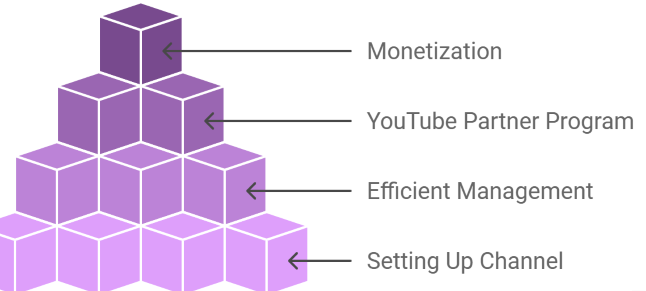
YouTube automation isn’t a single trick—it’s a system you build step by step so other people (or tools + freelancers) handle most of the production while you focus on direction and strategy. I’ll walk you through it in a practical, real-world way, not the “get rich overnight” version.
1. Pick a Profitable Niche (This decides everything)
Before anything else, choose a niche that can actually make money and keep viewers interested.
Good beginner-friendly niches:
- Finance (money tips, investing basics)
- Tech (AI tools, gadgets, software explainers)
- Motivation (success stories, discipline content)
- Mystery / crime stories
- Celebrity / pop culture breakdowns
- Health & fitness facts
A simple rule:
If people search it or get emotionally hooked by it, it can work.
Avoid niches like:
- Random vlogs (needs personality)
- Highly technical topics you don’t understand
- Anything you can’t explain clearly
👉 Example: Instead of “fitness,” go for “fat loss myths” or “what happens to your body when you stop sugar.”
2. Study Competitors (Don’t guess—copy smartly)
Go on YouTube and search your niche. Look at channels that already get views.
Pay attention to:
- Video titles that get high views
- Video length (usually 6–12 minutes works well)
- Thumbnail style (bold text, emotional faces, simple visuals)
- Upload frequency
You’re not copying content—you’re copying patterns.
👉 Example:
If 5 channels are doing “Top 10 scary ocean discoveries” and it performs well, that’s a signal.
3. Create a Simple Content Plan
Don’t overthink this. Start with 10 video ideas.
Example for a mystery channel:
- “The Man Who Disappeared Twice”
- “Top 5 Creepiest Unsolved Cases”
- “The Dark Story Behind This Island”
Keep it simple:
- One idea per video
- One strong hook per topic
4. Script Writing (The MOST important part)
This is where most channels win or lose.
A good script structure:
Hook (first 10–20 seconds)
Grab attention immediately:
- Ask a question
- Start with a shocking fact
- Create curiosity
👉 Example:
“On a quiet night in 2003, an entire village disappeared without a trace…”
Body
Tell the story clearly. Avoid boring explanations.
Tips:
- Short sentences
- Fast pacing
- Always lead into the next point
Ending
Wrap up with a conclusion or twist.
👉 You can write scripts yourself or hire freelancers on:
- Fiverr
- Upwork
Or use AI tools, but always edit for natural flow.
5. Voiceover (Faceless channels depend on this)
You have 3 options:
Option A: Hire voice actors
Best quality, but costs more.
Option B: AI voice tools
Faster and cheaper. Examples:
- ElevenLabs
- PlayHT
Option C: Your own voice
Free, but requires confidence and clarity.
👉 Tip: Good voiceovers = higher watch time.
6. Video Creation (Editing phase)
This is where “automation” really happens.
You don’t film anything. You assemble visuals like a puzzle.
You’ll need:
- Stock footage (Pexels, Pixabay)
- Images (Google, stock libraries)
- Clips (YouTube fair use or stock sites)
- Background music (non-copyright)
Editing tools:
- CapCut (beginner-friendly)
- Adobe Premiere Pro (advanced)
- DaVinci Resolve (free + powerful)
Structure:
- Match visuals to script
- Change scenes every 3–6 seconds
- Add zooms, text, motion effects
👉 Example:
If the script says “a dark forest,” show forest footage—not random clips.
7. Thumbnail + Title (CTR is everything)
Even the best video fails without clicks.
Good titles:
- “This Discovery Changed Everything”
- “The Truth About What Happened in 1999”
- “Why Nobody Talks About This…”
Good thumbnails:
- 1–3 words max
- High contrast colors
- Emotional or mysterious visuals
👉 Example:
A broken spaceship + text: “WHAT WENT WRONG?”
8. Upload and SEO Optimization
When uploading:
- Write a clear description (2–3 paragraphs)
- Add keywords naturally
- Use hashtags (#mystery #history #finance)
- Choose the right category
But don’t overdo SEO. YouTube mostly pushes videos based on engagement.
9. Outsource Everything (The real “automation” part)
Once you understand the process, you can delegate:
- Script writers → Fiverr / Upwork
- Voiceover artists → freelancers or AI
- Video editors → agencies or editors
- Thumbnail designers → freelance designers
You become the manager.
👉 Your job shifts from:
“making videos” → “managing video production”
10. Analyze and Improve
This is where most beginners fail.
Check YouTube Analytics:
- Click-through rate (CTR)
- Average view duration
- Audience retention graph
If people leave early:
- Your intro is weak
If nobody clicks:
- Your thumbnail/title is bad
If people watch but don’t return:
- Content isn’t engaging enough
A Realistic Beginner Setup
If you’re starting from zero, do this:
1 niche
10 video ideas
1–2 videos per week
CapCut editing
AI voice or your voice
Free stock footage
Don’t try to build a “team” immediately. First prove your channel can grow.
Important Reality Check
YouTube automation is NOT:
- instant money
- fully passive
- guaranteed success
It IS:
- a content business model
- a skill-based system
- something that rewards consistency
Most channels fail because they quit too early or chase shortcuts instead of learning what actually works.
Final Thought
If you treat YouTube automation like a “set and forget” machine, it won’t work.
But if you treat it like building a small digital media company—where you improve every video, test ideas, and slowly outsource tasks—it can become a real income stream over time.
The real secret isn’t automation.
It’s consistency + smart execution + patience.