The Modern Phone Survival Guide: How to Fix Charging Woes and Battery Drain
We have all been there. You plug your phone in before bed, wake up late for work, and realize with a jolt of panic that the battery percentage has not budged. Or worse, you watch your battery life tick down like a dramatic countdown timer while your phone does absolutely nothing in your pocket.
In an era where our smartphones hold our schedules, boarding passes, and memories, a malfunctioning device feels less like a minor inconvenience and more like a digital isolation ward. Fortunately, most power issues are not a death sentence for your device. Before you rush to the nearest repair shop or drop a small fortune on a replacement, let us walk through how to diagnose and fix the most common phone power struggles.
The Dreaded iPhone “Not Charging” Dilemma
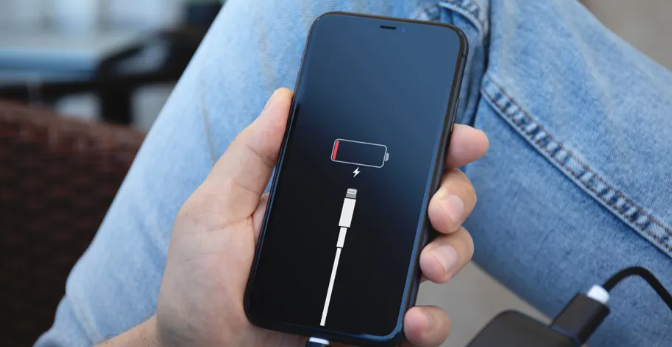
When an iPhone refuses to charge, the immediate instinct is to blame the hardware or fear a fried motherboard. In reality, the culprit is usually much more mundane.
First, look at the charging port. Think about how many times a day your phone slides into jeans pockets, purses, or backpacks. Over time, that tiny port acts like a microscopic vacuum cleaner, collecting lint, dust, and debris. When you plug in your lightning or USB C cable, you pack that lint into a dense, non conductive mattress at the base of the port, preventing the cable pins from making solid contact.
To fix this, grab a wooden or plastic toothpick. Turn your phone off, and very gently scrape around the inside of the port under a good light. You will be amazed at the amount of pocket lint that comes tumbling out. Avoid metal safety pins or paperclips, as these can easily snap the delicate gold pins inside.
If the port is clean, it is time to look at your accessories. Apple devices are famously picky about third party cables. If you are using a cheap gas station wire, the phone might reject it entirely. Try swapping out the cable and the wall brick independently. Sometimes a cable looks perfect on the outside but has internal fractures from being bent at sharp angles.
Finally, consider software glitches. Your phone does not blindly accept electricity; the operating system controls the power intake. If a software process has crashed, a simple forced restart can kickstart the charging process again.
The Android Battery Drain Mystery
On the flip side of the coin is the Android phone that simply cannot hold its juice. You charge it to full, but by lunchtime, it is crying out for power.
Android devices give users an incredible amount of freedom, but with great power comes great background activity. If your battery is tanking, your first stop should be the battery usage settings. Android does an excellent job of unmasking rogue applications. Often, you will find a poorly optimized app running amok in the background, continuously pinging your location or refreshing data. If a random social media app or mobile game is consuming thirty percent of your power while you are not even using it, restrict its background usage or uninstall it altogether.
Another hidden battery vampire is connectivity. If you live or work in an area with weak 5G cellular reception, your phone will actively pump extra power into its internal modems just to maintain a grip on that weak signal. It is the digital equivalent of shouting to be heard across a noisy room. If you know you are in a dead zone, switching to airplane mode or forcing the phone to stick to standard LTE can save massive amounts of juice.
When the Software is the Problem
Sometimes, the issue begins right after a major system update. It is an ironic reality of modern tech: the software designed to improve your phone can occasionally break it.
Right after an operating system update, your phone has to re index files, optimize thousands of lines of app data, and adjust to new protocols. This background optimization can cause heavy battery drain and overheating for forty eight hours. If your phone feels hot and loses power quickly right after an update, give it a couple of days to settle down. If the problem persists, clearing your system cache or performing a network settings reset usually irons out the digital wrinkles.
Understanding Long Term Battery Health
If you have tried the basic fixes and your phone still dies rapidly, you might be dealing with natural chemical aging. Modern smartphones use lithium ion polymer batteries. These cells are essentially consumable parts with a finite lifespan, usually rated to maintain eighty percent of their original capacity for about two years of normal use.
Both iOS and modern Android versions allow you to check your maximum battery health capacity in the settings menu. If that number has dipped below eighty percent, the battery is physically degraded. It will not hold charge efficiently, and it might even cause your phone to throttle its performance to prevent sudden shutdowns during heavy tasks. At this stage, paying for a professional battery replacement is a cost effective way to breathe two more years of life into a device you already love.
Knowing When to Call the Pros
Troubleshooting is all about elimination. If you have cleaned the port, tried certified cables, managed your background apps, and gave the software time to settle, you have successfully ruled out the easy fixes.
If your phone still refuses to hold a charge, gets dangerously hot to the touch, or shows physical signs of battery swelling where the screen pushes outward, step away from the device. Swollen batteries are a safety hazard and require immediate, professional attention.
For everything else, a little bit of patience and systematic checking is usually all it takes to get your digital lifeline back up and running.