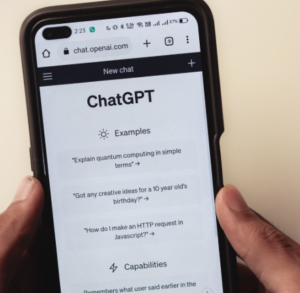
ChatGPT may be the name most people recognize first in the AI chatbot space, but it’s far from the only strong player. In fact, depending on what you actually want to do—write long-form content, research faster, code, or even replace a search engine—you might find that some alternatives feel more natural or more specialized.
The truth is, the AI landscape has become less like a single “best tool” race and more like a toolbox. Each tool has its own personality, strengths, and quirks. Some are better at deep reasoning, others shine in real-time information, and a few are quietly becoming all-in-one productivity assistants.
Here are five of the best ChatGPT alternatives worth paying attention to right now, along with what makes each one genuinely useful in everyday life.
1. Claude by Anthropic – The thoughtful writer in the room
If ChatGPT feels like a fast all-rounder, Claude feels more like that calm, careful colleague who actually reads everything before responding.
Claude is developed by Anthropic and is especially strong in long-form writing, analysis, and handling large documents without losing context. If you’ve ever tried pasting a long report or messy notes into an AI tool and gotten a shallow answer, Claude tends to behave differently. It slows down in a good way—it tries to understand structure.
One of its biggest strengths is tone. Claude responses often feel more natural, less robotic, and more “written by a human who actually thought about it.” That makes it very popular among writers, students, and professionals working on reports or essays.
A practical example: imagine you’re drafting a business proposal. Instead of just generating generic sections, Claude can help refine arguments, smooth transitions, and even point out unclear reasoning in your draft.
It’s not perfect—its real-time knowledge is limited compared to search-integrated tools—but for writing quality, it’s one of the strongest.
Try it here: Claude by Anthropic
2. Google Gemini – The deeply connected assistant
Google Gemini feels less like a standalone chatbot and more like an AI that already lives inside your digital world.
Its biggest advantage is integration. Since it’s built by Google, it connects naturally with services like Gmail, Docs, and Search. That means instead of just answering questions, it can pull context from your everyday tools (when permissions are enabled).
For example, you could ask it to summarize your inbox or help you rewrite a document you’ve been working on in Google Docs. It’s designed to reduce friction—less copying and pasting, more “do it where the data already is.”
Another strength is multimodal capability. Gemini can work with text, images, and other inputs in a way that feels increasingly seamless. If you upload a chart or screenshot, it can interpret it and explain what’s going on.
Where it sometimes struggles is personality and creativity—it can feel a bit structured compared to more expressive tools—but as a productivity assistant, it’s extremely practical.
Try it here: Google Gemini
3. Microsoft Copilot – The office productivity powerhouse
If you spend a lot of time in Word, Excel, PowerPoint, or Outlook, Microsoft Copilot is less of an “alternative” and more of a direct upgrade to how you already work.
Copilot is embedded inside Microsoft 365 apps, which is where it really shines. Instead of opening a separate chatbot window, you can ask it to generate slides inside PowerPoint, analyze data in Excel, or draft professional emails in Outlook.
Think of it like having an assistant sitting inside each app, quietly ready to help with the specific task you’re doing at that moment.
A real-world example: you’re preparing a presentation due tomorrow. Instead of building everything from scratch, you can ask Copilot to create a first draft of slides based on a Word document. Then you refine it instead of starting from zero.
It’s especially useful for professionals in corporate environments where Microsoft tools are already standard. The downside is that it’s not as flexible as standalone chat tools for casual conversation or creative brainstorming.
Try it here: Microsoft Copilot
4. Perplexity AI – The research-first chatbot that thinks like a search engine
Perplexity AI is what happens when a chatbot and a search engine have a very focused child.
Unlike most AI tools that generate answers from training data alone, Perplexity actively pulls in real-time information from the web and shows sources. That alone makes it incredibly valuable if you care about accuracy, citations, or up-to-date facts.
Instead of just giving you an answer, it behaves more like a research assistant that says, “Here’s what I found, and here’s where it came from.”
For example, if you’re researching the best smartphones in 2026, Perplexity won’t just list models—it will summarize recent reviews, compare specs, and link to the sources so you can verify everything.
This makes it especially useful for students, journalists, analysts, or anyone who doesn’t want to blindly trust AI-generated statements.
The trade-off is that it’s not as strong for long creative writing or storytelling. It’s more factual than imaginative.
Try it here: Perplexity AI
5. Mistral AI (Le Chat) – The fast, lightweight challenger
Mistral AI is one of the newer names in the AI space, but it has quickly gained attention for being fast, efficient, and surprisingly capable.
Its chatbot interface, often referred to as “Le Chat,” is designed to feel snappy and responsive. While it may not always have the same depth as larger competitors, it makes up for it in speed and simplicity.
One of its biggest appeals is openness. Mistral has positioned itself as part of the growing open-weight AI movement, which means more flexibility for developers and tech-savvy users who want control over how models are used.
In everyday use, it’s great for quick answers, brainstorming ideas, and lightweight writing tasks. Think of it as the tool you open when you don’t want something heavy or overly complex—you just want help, fast.
For example, if you’re drafting social media captions or generating quick ideas for a project, Mistral feels almost instant in its responses.
Try it here: Mistral AI
How these tools actually compare in real life
The interesting thing about these alternatives is that they don’t really “compete” in a traditional sense. Instead, they serve different moods and needs.
Claude is like the careful writer who helps you refine thoughts.
Gemini is the assistant that already lives inside your Google ecosystem.
Copilot is the office coworker who quietly handles spreadsheets and slides for you.
Perplexity is the research analyst who always brings receipts.
Mistral is the fast-thinking assistant you use when you just need something done quickly.
If you think about it like a kitchen, ChatGPT might be your main chef knife—but these tools are the specialized utensils you reach for depending on what you’re cooking.
Final thoughts
The rise of ChatGPT alternatives isn’t really about replacing anything—it’s about expansion. Each tool reflects a slightly different philosophy of how AI should fit into daily life.
Some prioritize accuracy, others prioritize creativity, and a few focus entirely on productivity inside existing workflows. The real advantage for users is choice. Instead of forcing one tool to do everything, you can now pick the one that fits the task at hand.
And that’s probably where things are heading: not one AI to rule them all, but a collection of intelligent tools that quietly make different parts of life easier.
The smartest approach isn’t loyalty to a single platform—it’s knowing which assistant to call for which job.